Chat with us, powered by LiveChat

Looking for our Greenville page? Click Here!

Schedule Now

Member Portal

Yellow Bar

Frequently Asked Questions

Having trouble logging into your Member Portal? Click the links below for help with common issues.

Oops!

If you're getting this message: "We were unable to find that email in our records, please try a new email or contact us" when trying to login to the Member Portal, this means your email is not tied to your Morris-Jenkins account. 

Make sure that you're using the email that we have on file. 

iPhone/Android App

At this time, we do not have a Morris-Jenkins app available in the iPhone or Android app stores. Should we have an app developed, we will be sure to add it to our website for any of our customers to access! 

In the meantime, you can schedule via our website, call/text us to speak with a customer service representative, chat with our online support agents, or email us at customerservice@morrisjenkins.com & we'll happily help take care of whatever HVAC, Plumbing, or Electrical concern you may have!

How do I update my card information?

Whether you received a brand new card number or the expiration date has changed, here is how to update your payment method on the portal: 

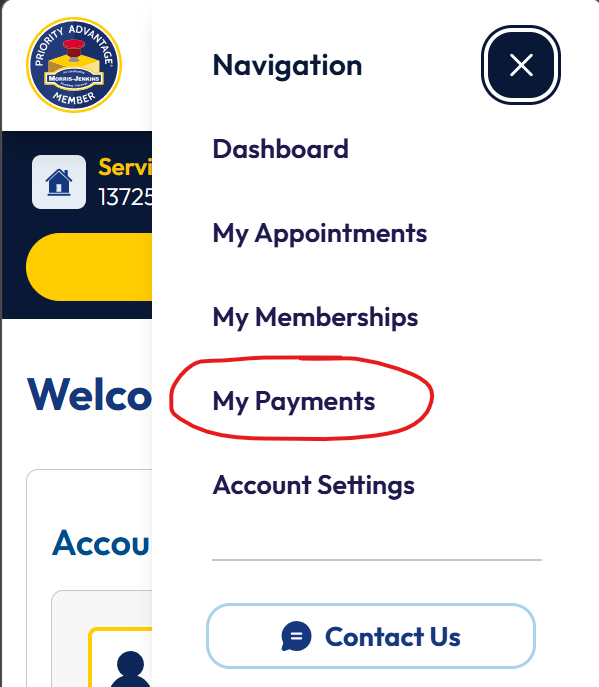
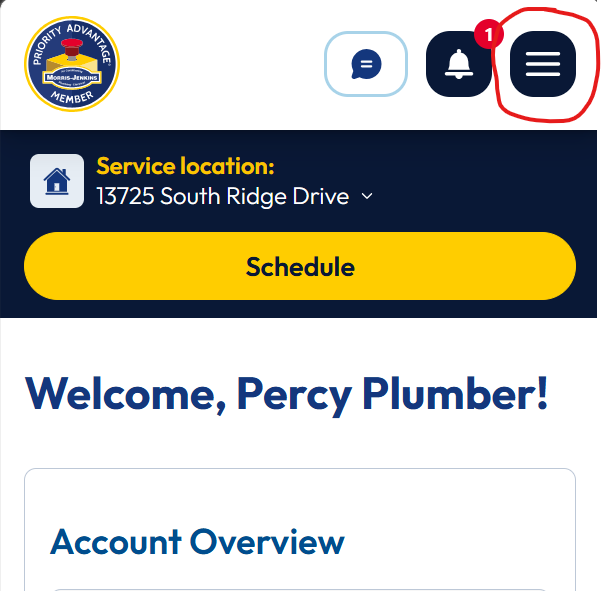
  1. From your main Portal screen, you can click on My Payments on the top navigation. On mobile, you can click on the hamburger menu and select My Payments A website dashboard showing a service location at 13725 South Ridge Drive, with a yellow "Schedule" button and a notification alert near the menu icon.A mobile app navigation menu with options listed; "My Payments" is circled in red. A Priority Advantage Member badge appears at the top.
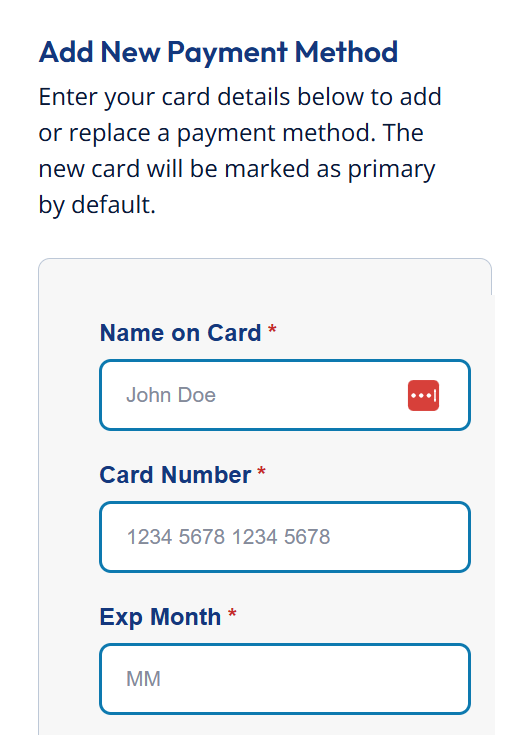
  2. On the next screen, scroll down to the Add New Payment Method section. Fill out the required boxes and hit save. Online form for adding a new payment method, showing fields for name on card, card number, and expiration month, with example text filled in.
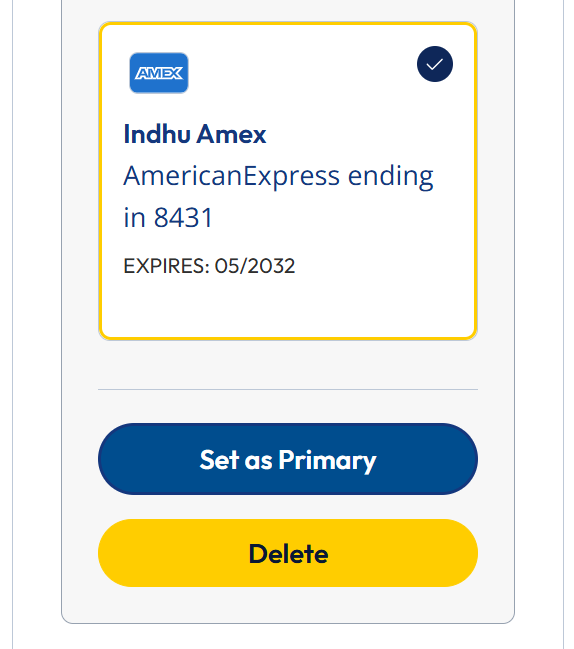
  3. Once saved, your new payment method will show up under Saved payment methods
  4. Once added, you will be able to select the circle button next to your card under the Saved payment methods section on this screen and select Set as Primary. We will use your primary method for membership billing. Online form for adding a new payment method, showing fields for name on card, card number, and expiration month, with example text filled in.
  5. To remove any old cards from the account, select the card under Saved payment methods and select Delete.Screenshot of a credit card management interface showing an American Express card ending in 8431, expiring 05/2032, with options to set as primary or delete.

Invalid credentials

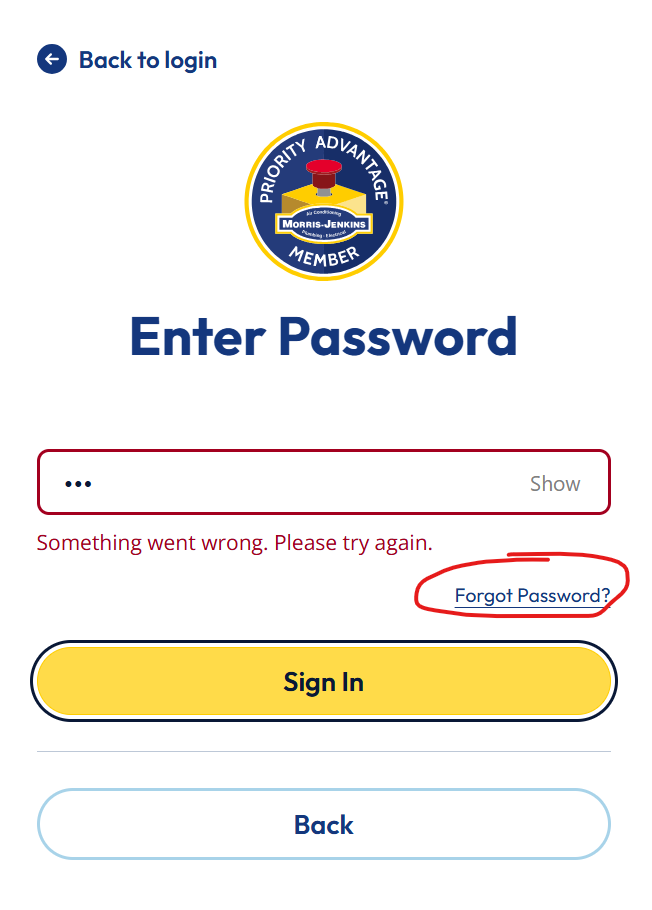
If you tried to login to your Member Portal & got a message saying invalid credentials: here is how to update your password: 

  1. Click Forgot Password? Password entry screen with a warning message, "Something went wrong. Please try again." Options include "Forgot Password?", "Sign In," and "Back.
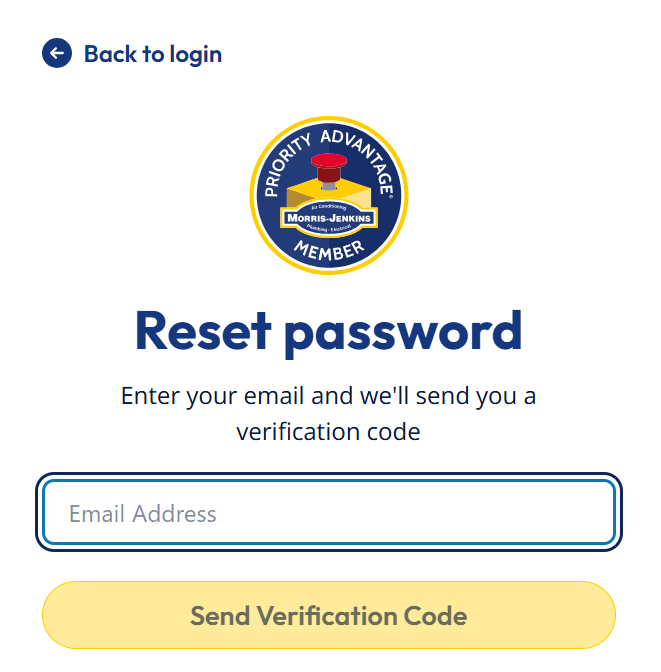
  2. Enter your email address and select Send Verification Code Password reset page for Morris-Jenkins Priority Advantage Member, prompting user to enter email address to receive a verification code.
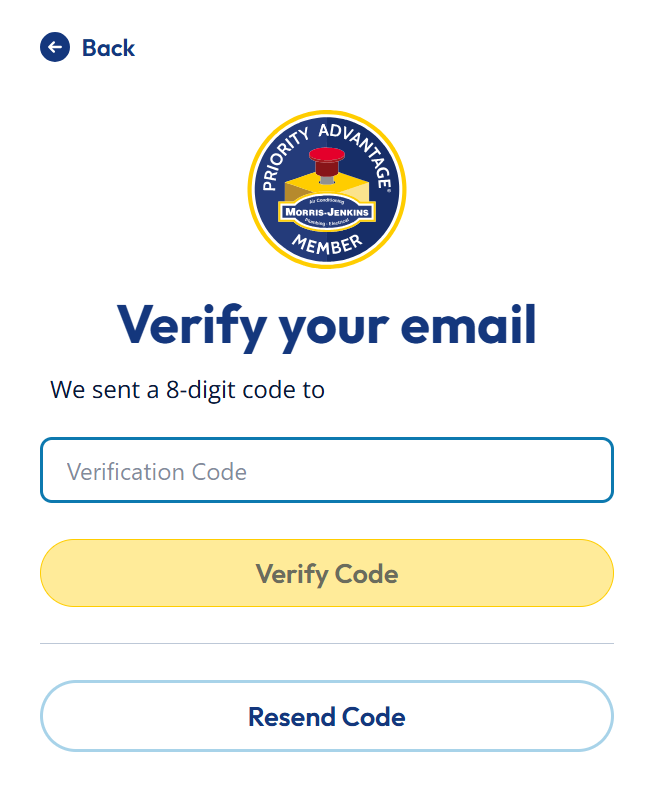
  3. On the next screen, enter your verification code and create your new password.A verification screen prompting the user to enter an 8-digit code sent to their email, with "Verify Code" and "Resend Code" buttons.
LEft BKG element

Manage Your Account Easily

LEft BKG element